
PDF Split
PDF Split helps when the next step is simple: pull out only the pages you need. It is built for quick fixes, checks, and downloads.
Split PDF Online
Pull specific pages out of a PDF, or break a large document into separate files. Select pages visually, extract ranges like 1-5 and 8, and download exactly the pages you need - nothing more.
How to Use This Tool
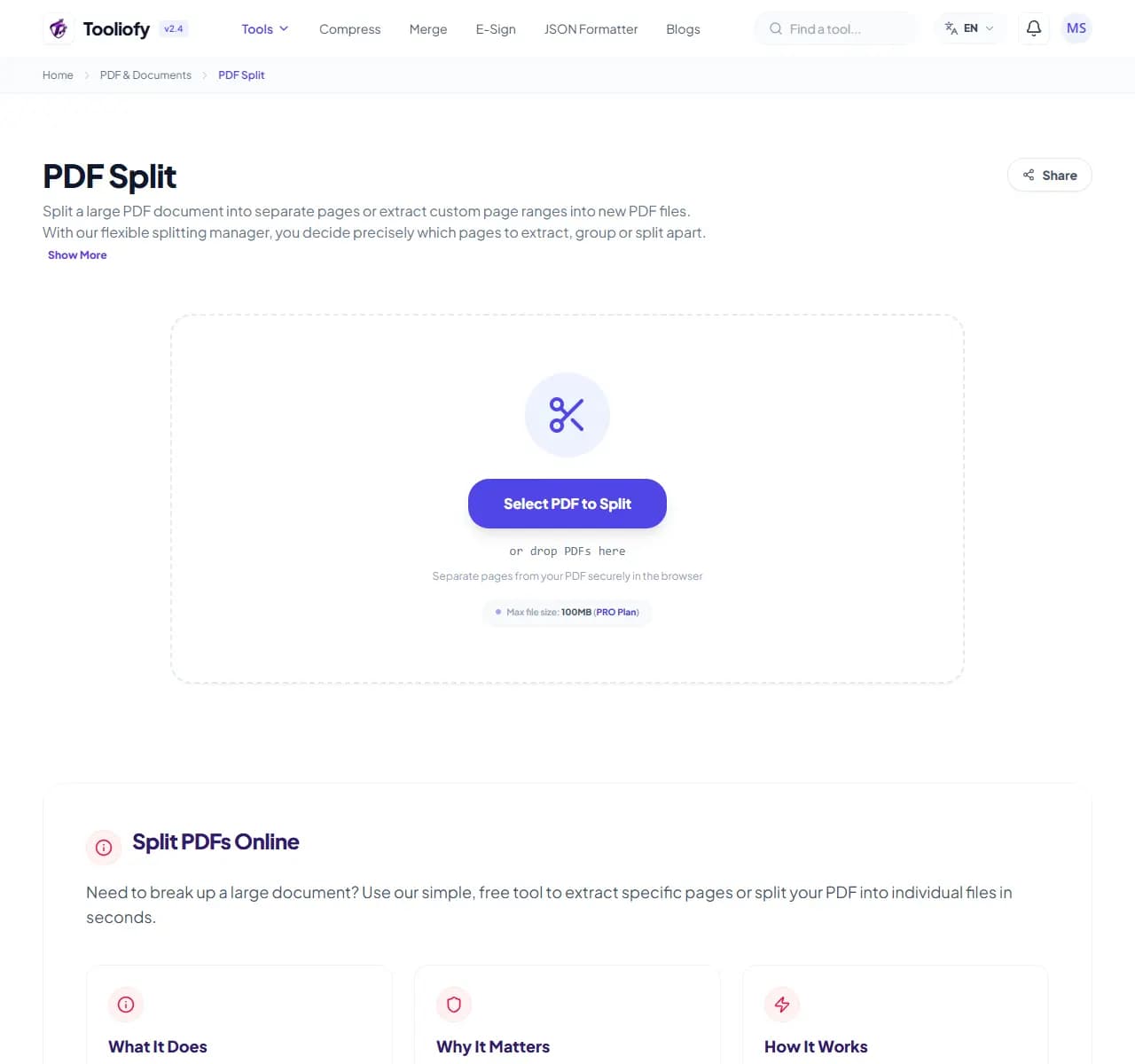
1. Select File
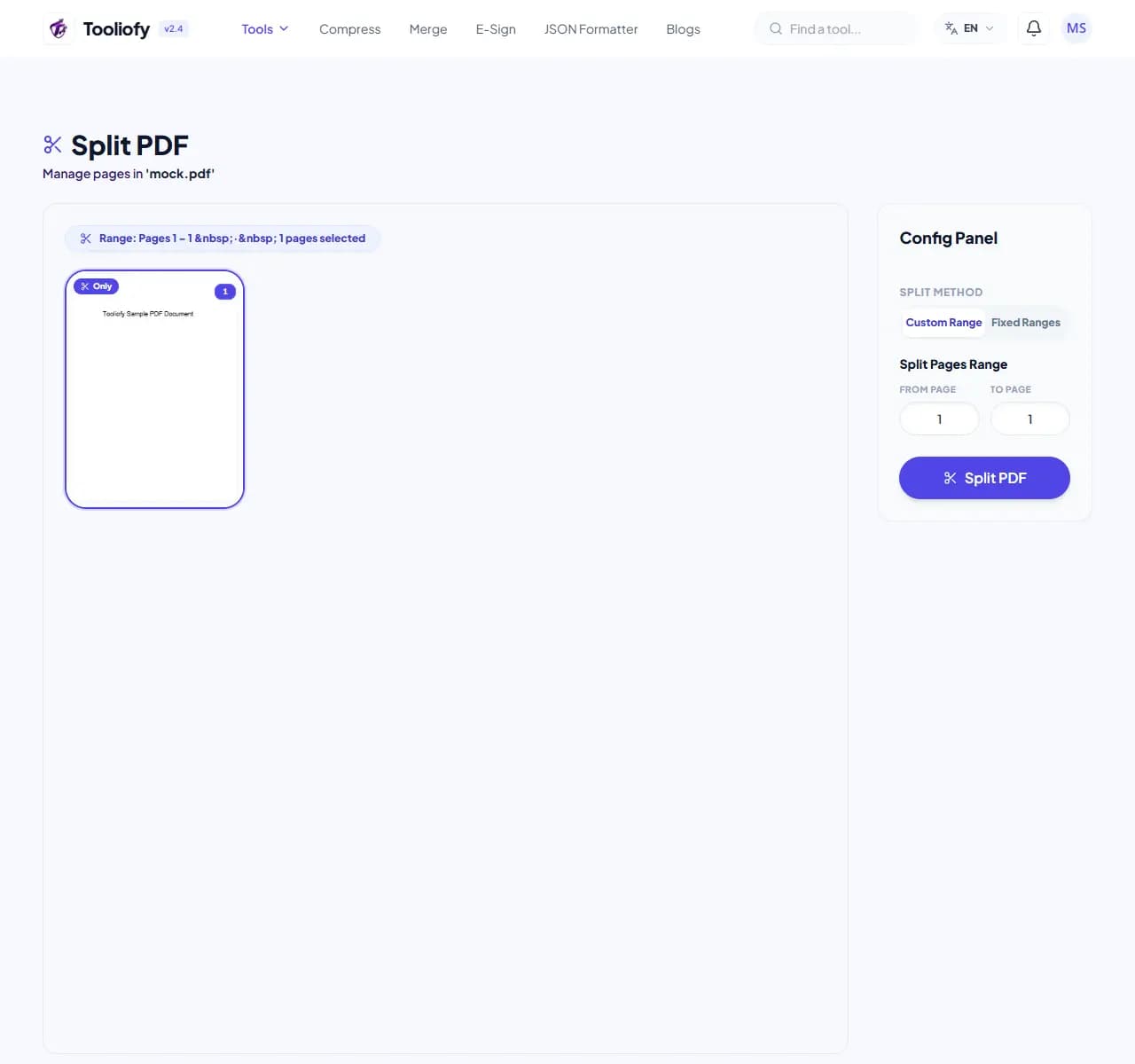
2. Processing
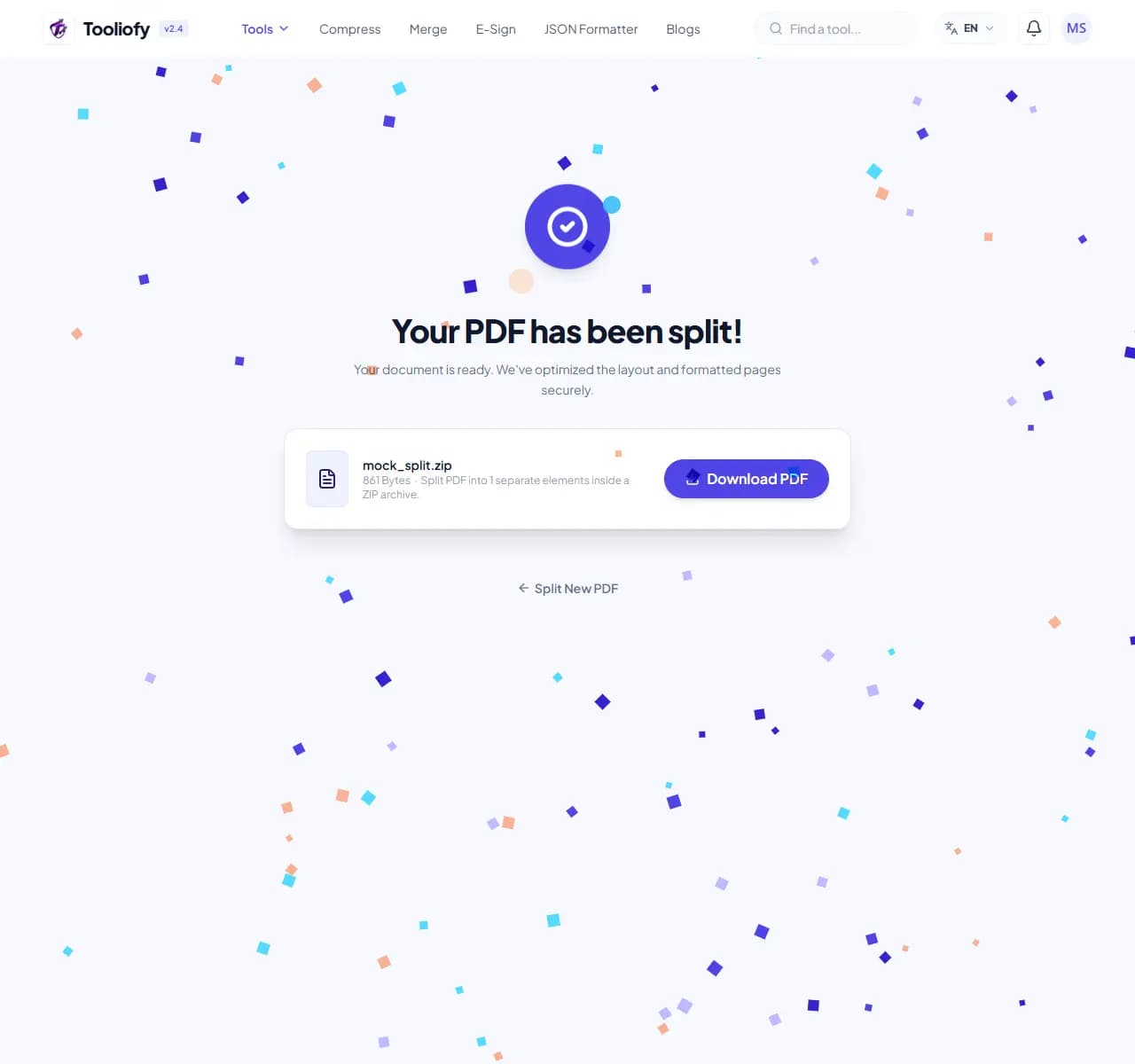
3. Download File
What you can do with PDF Split
PDF Split creates new PDF files containing only the pages you choose from a source document. Extract one chapter, remove a cover page, or explode the whole file into single pages.
When PDF Split helps
Sending a 90-page report when someone needs pages 12-18 wastes their time and buries your point. Splitting first means the recipient opens exactly what matters - and sensitive pages you didn't mean to share stay out of the attachment.
How the PDF is handled
Upload the PDF, click pages on the thumbnail grid or type a range, and download. Selected pages keep their exact original appearance because they're copied, not re-rendered.
Common PDF Split tasks
- Extracting one chapter from an ebook or manual
- Separating a scanned batch of invoices into individual files
- Removing a cover letter before forwarding a contract
- Pulling the signature page out of a long agreement
- Breaking a 100 MB PDF into emailable parts
Why this PDF tool is handy
- Share only the pages that matter
- Pages are copied exactly - zero quality loss
- Works on both digital and scanned PDFs
- Free with no watermark
- Pairs with PDF Merge for full reordering
What is included
- Extract page ranges (1-5, 8, 11-14) or single pages
- Split every page into its own file
- Visual page thumbnails - see what you're selecting
- Original formatting, fonts and quality untouched
- No watermark on output
- Handles large documents (500+ pages)
- Encrypted transfer, automatic deletion
"Split before you send: recipients get the pages that matter, and pages that shouldn't leave your machine don't."

More PDF & Documents
Create PDF
Create PDF helps when the next step is simple: create a new PDF with text, images, shapes, pages, and signatures. It is built for quick fixes, checks, and downloads.
PDF to Word
PDF to Word helps when the next step is simple: turn PDF files into Word. It is built for quick fixes, checks, and downloads.
Word to PDF
Word to PDF helps when the next step is simple: turn Word files into PDF. It is built for quick fixes, checks, and downloads.
PDF to Excel
Open PDF to Excel when your PDF file needs one clear change. The tool keeps the process short and the Excel file easy to inspect.
Excel to PDF
Open Excel to PDF when your Excel file needs one clear change. The tool keeps the process short and the PDF file easy to inspect.
PDF Merge
PDF Merge helps when the next step is simple: combine separate files into one ordered result. It is built for quick fixes, checks, and downloads.
Explore Other Categories
 5 Tools
AI Tools
Explore our ai tools and start processing your files securely.
 58 Tools
Image Tools
Explore our image tools and start processing your files securely.
 24 Tools
Text Utilities
Explore our text utilities and start processing your files securely.
 10 Tools
Developer Tools
Explore our developer tools and start processing your files securely.
Can't find a specific tool?
We are constantly adding new features based on user feedback. Tell us what you need and we will implement it immediately!