
Image Resizer
Open Image Resizer when your image needs one clear change. The tool keeps the process short and the resized image easy to inspect.

Resize Images Online
Every platform wants a different size: Instagram 1080x1080, a website hero 1920px, an email signature 300px. Resize to exact pixels or by percentage, with aspect ratio locked by default so nothing gets stretched or squashed.
How to Use This Tool
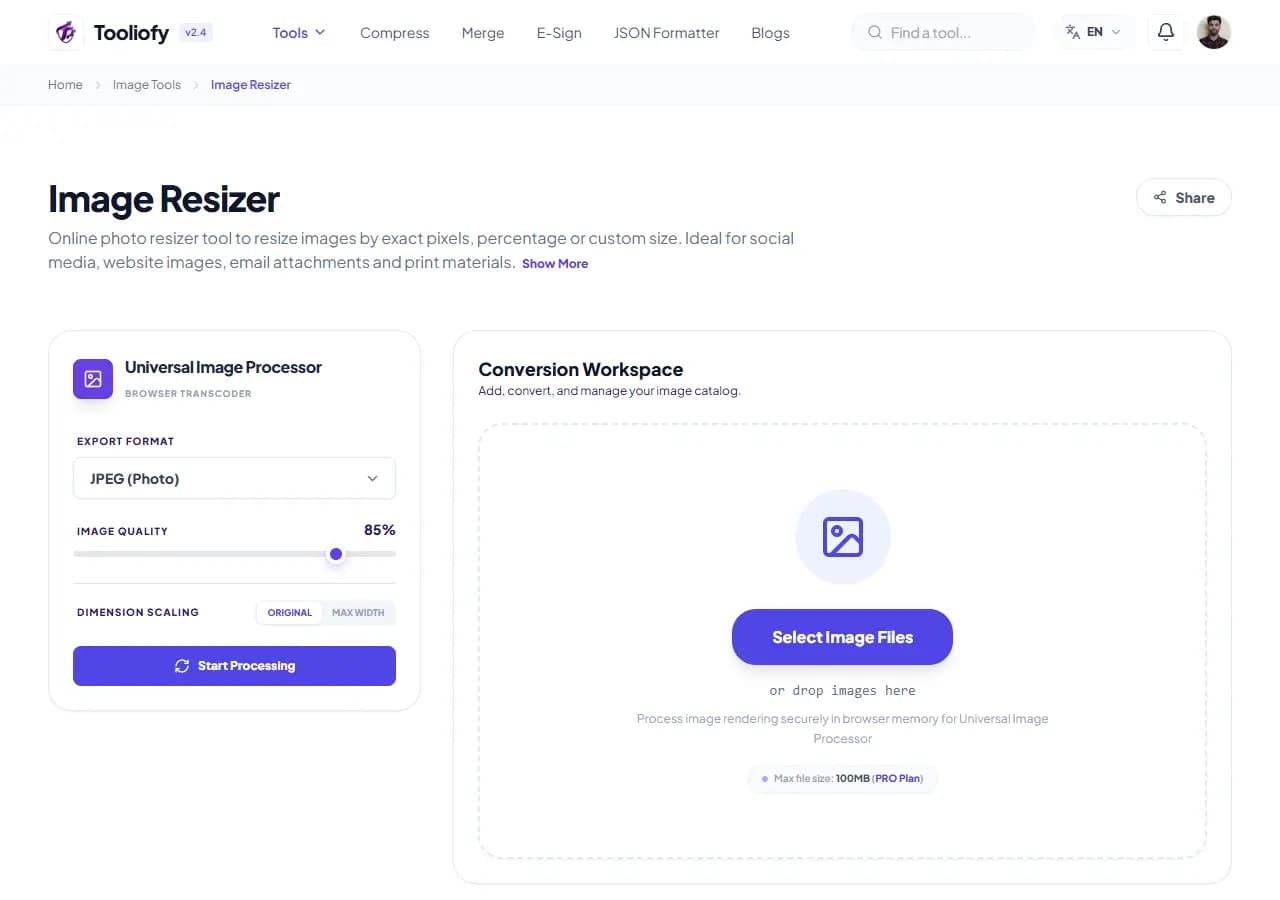
1. Select File
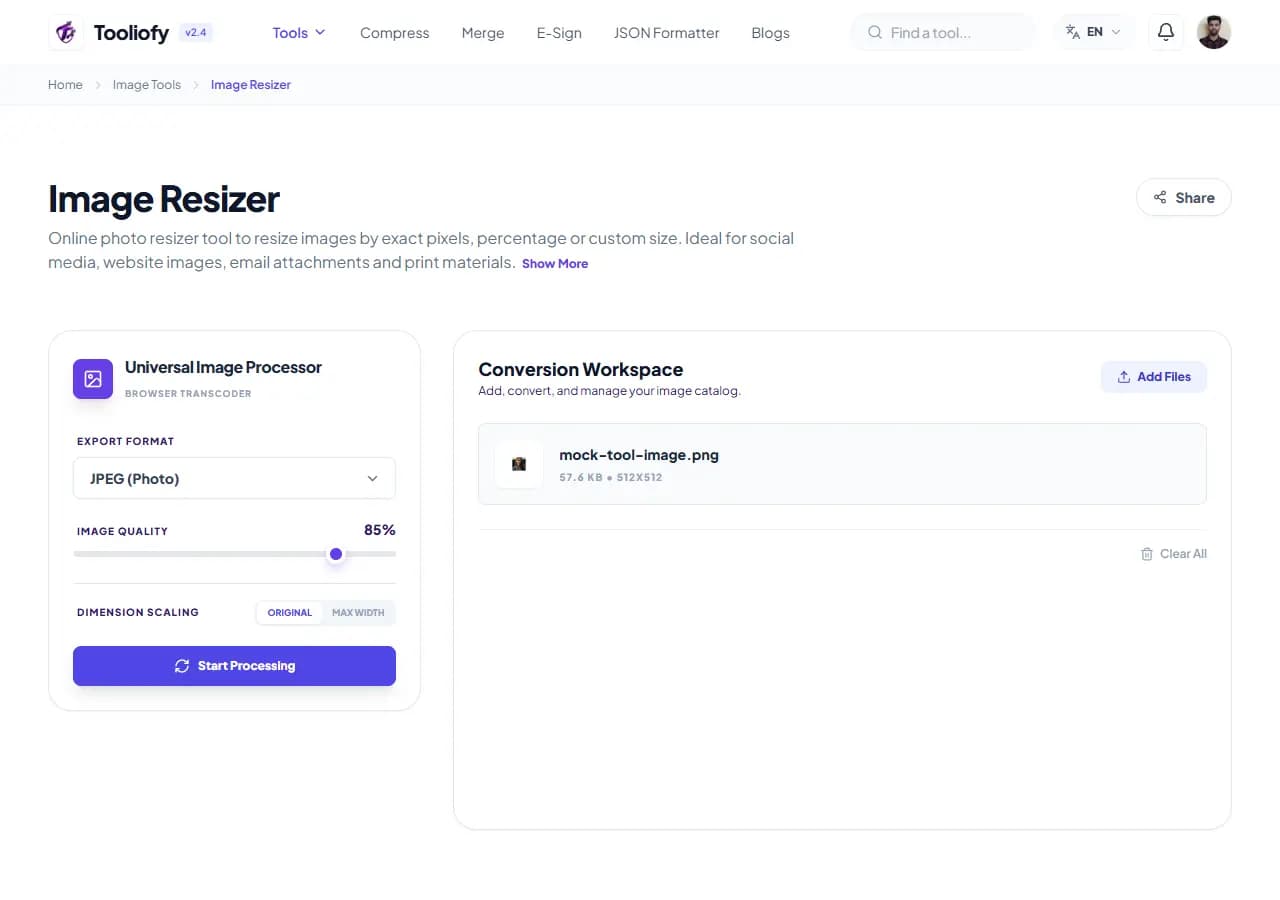
2. Processing
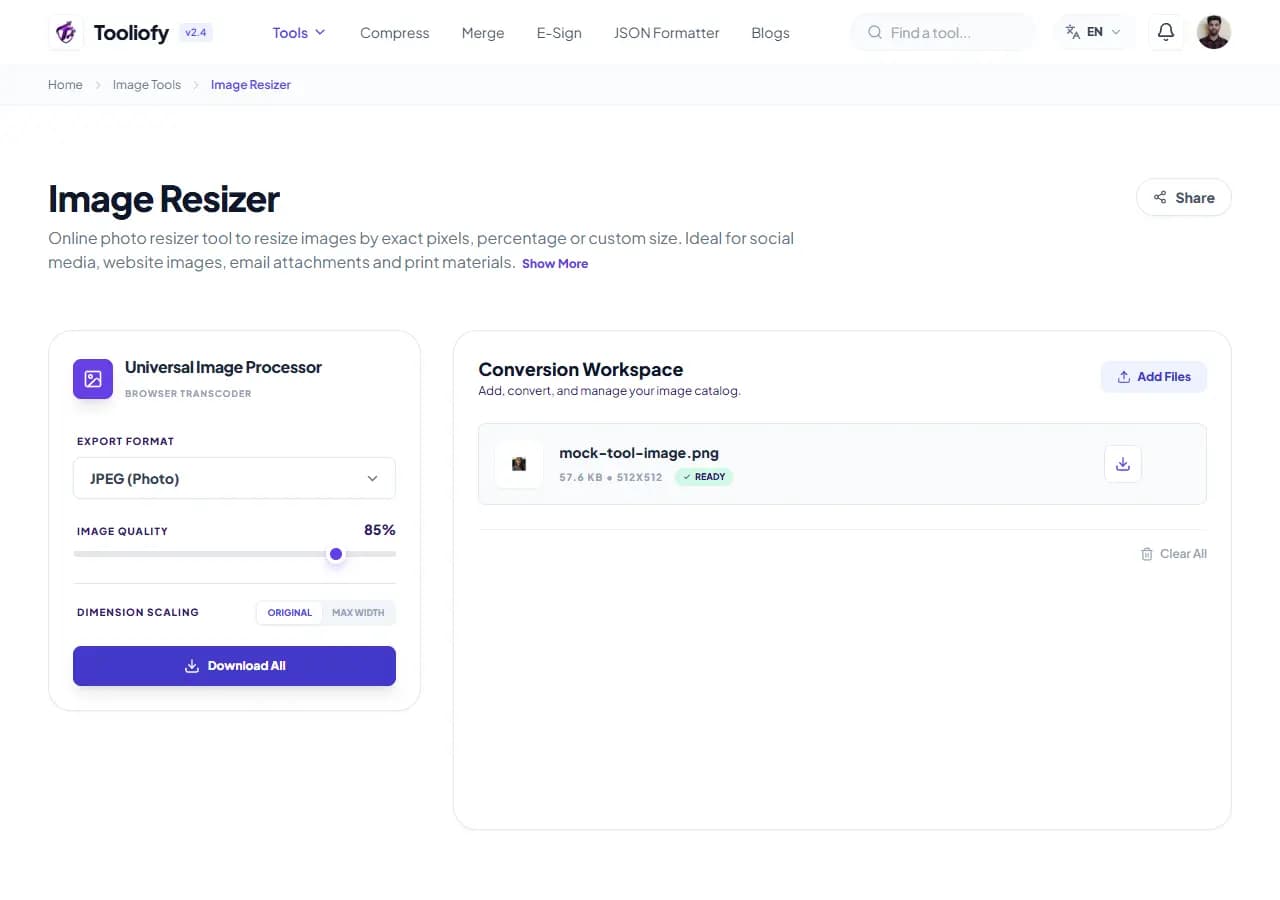
3. Download File
What Image Resizer changes
Image Resizer changes an image's pixel dimensions three ways: exact pixels, percentage scaling, or one-click platform presets. The whole image is scaled - nothing gets cropped off.
Why the image result matters
Downscaling is lossless in practice - a 4000px photo resized to 1200px stays sharp. Upscaling can't invent detail: a 400px logo stretched to 2000px turns blurry because those pixels don't exist. For genuine enlargements use the AI Image Upscaler, which reconstructs detail instead of stretching; this tool warns you when you cross that line.
How your image is processed
Pick a mode, set your target, and download. Resizing down shrinks file size roughly with the pixel count - half the width and height carries about a quarter of the pixels. To hit a specific KB target, resize first, then fine-tune with the Image Compressor.
Good times to use Image Resizer
- Making product photos uniform with batch resize
- Hitting Instagram's 1080x1080 without manual math
- Creating a 1280x720 YouTube thumbnail from a screenshot
- Scaling a photo to 50% for a quick email attachment
- Preparing a 1920px hero image for a website
What you get
- No stretched or squashed images - ratio locked by default
- Platform presets remove the guesswork
- Batch mode makes product catalogs uniform
- Clear warning before quality-losing enlargements
- Free, watermark-free
Image options included
- Exact pixel mode - set one side, the other adjusts automatically
- Percentage mode for quick 50% / 25% scaling
- One-click presets: Instagram, YouTube thumbnail, Facebook cover, LinkedIn banner, Full HD
- Aspect ratio locked by default, unlockable on purpose
- Batch mode applies one target size to many images
- Warns when you enlarge past the original size
- JPG, PNG, WebP and GIF supported
"Downscale freely, upscale carefully. When a platform gives you exact dimensions, use the preset and stop thinking about it."

More Image Tools
Image Compressor
Image Compressor helps you reduce file size. It keeps the page focused on that one job, so you can check the smaller file without opening a larger app.
Image Cropper
Image Cropper helps when the next step is simple: keep the important area and remove the rest. It is built for quick fixes, checks, and downloads.
Image Rotator / Flipper
Image Rotator / Flipper helps when the next step is simple: fix direction, orientation, or mirror view. It is built for quick fixes, checks, and downloads.
Universal Image Converter
Open Universal Image Converter when your file needs one clear change. The tool keeps the process short and the converted file easy to inspect.
JPG/JPEG Converter
Use JPG/JPEG Converter when you need to change the file into a format that is easier to open or share. Add the file, choose the option that matters, and review the converted file.
PNG Converter
Use PNG Converter when you need to change the file into a format that is easier to open or share. Add the file, choose the option that matters, and review the converted file.
Explore Other Categories
 19 Tools
PDF & Documents
Explore our pdf & documents and start processing your files securely.
 5 Tools
AI Tools
Explore our ai tools and start processing your files securely.
 24 Tools
Text Utilities
Explore our text utilities and start processing your files securely.
 10 Tools
Developer Tools
Explore our developer tools and start processing your files securely.
Can't find a specific tool?
We are constantly adding new features based on user feedback. Tell us what you need and we will implement it immediately!