
Universal Image Converter
Open Universal Image Converter when your file needs one clear change. The tool keeps the process short and the converted file easy to inspect.
Convert Images Between Formats
Change an image's format - JPG to PNG, PNG to WebP, HEIC from your iPhone into something everything can open. Pick the output, convert, download. Format problems, solved without a manual.
How to Use This Tool
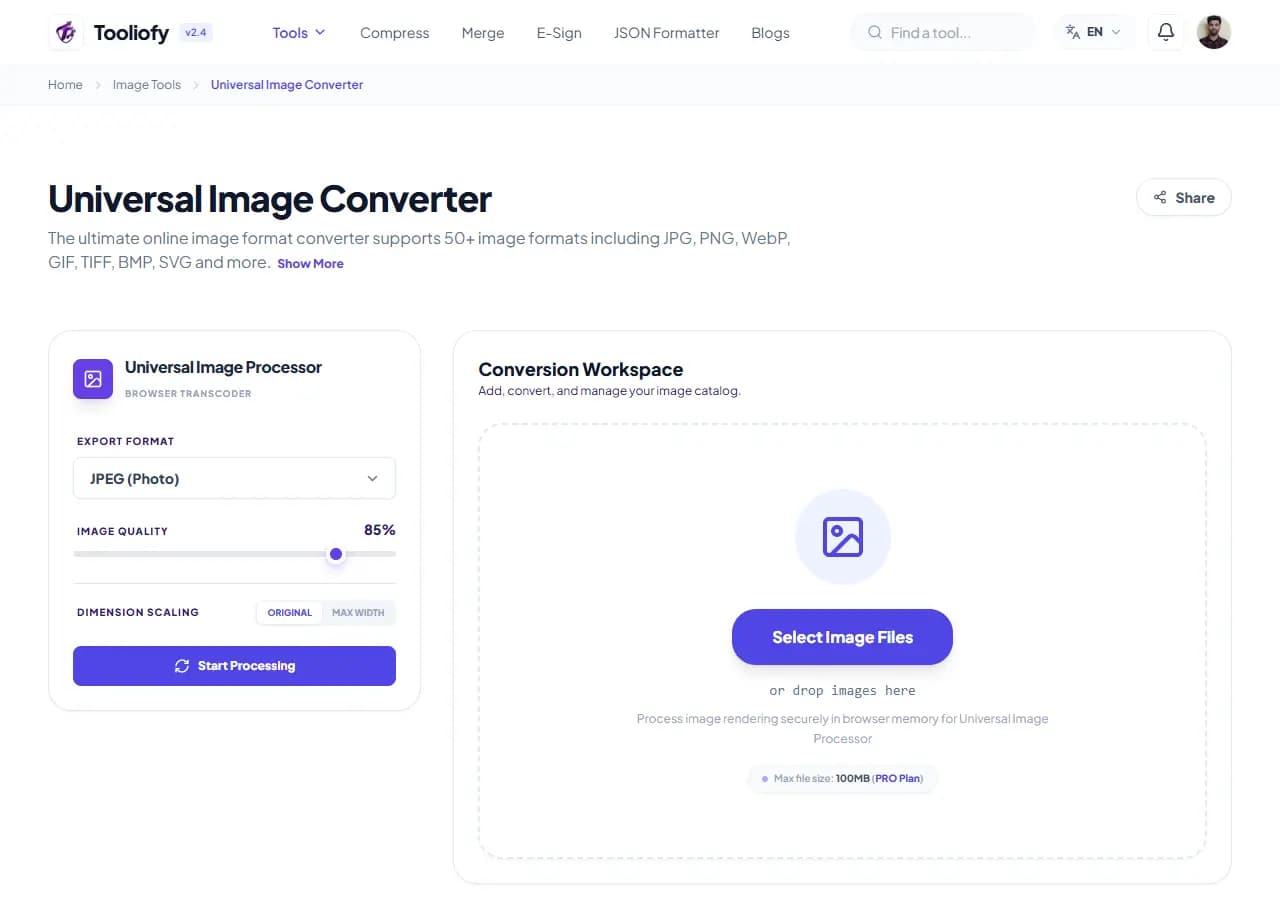
1. Select File
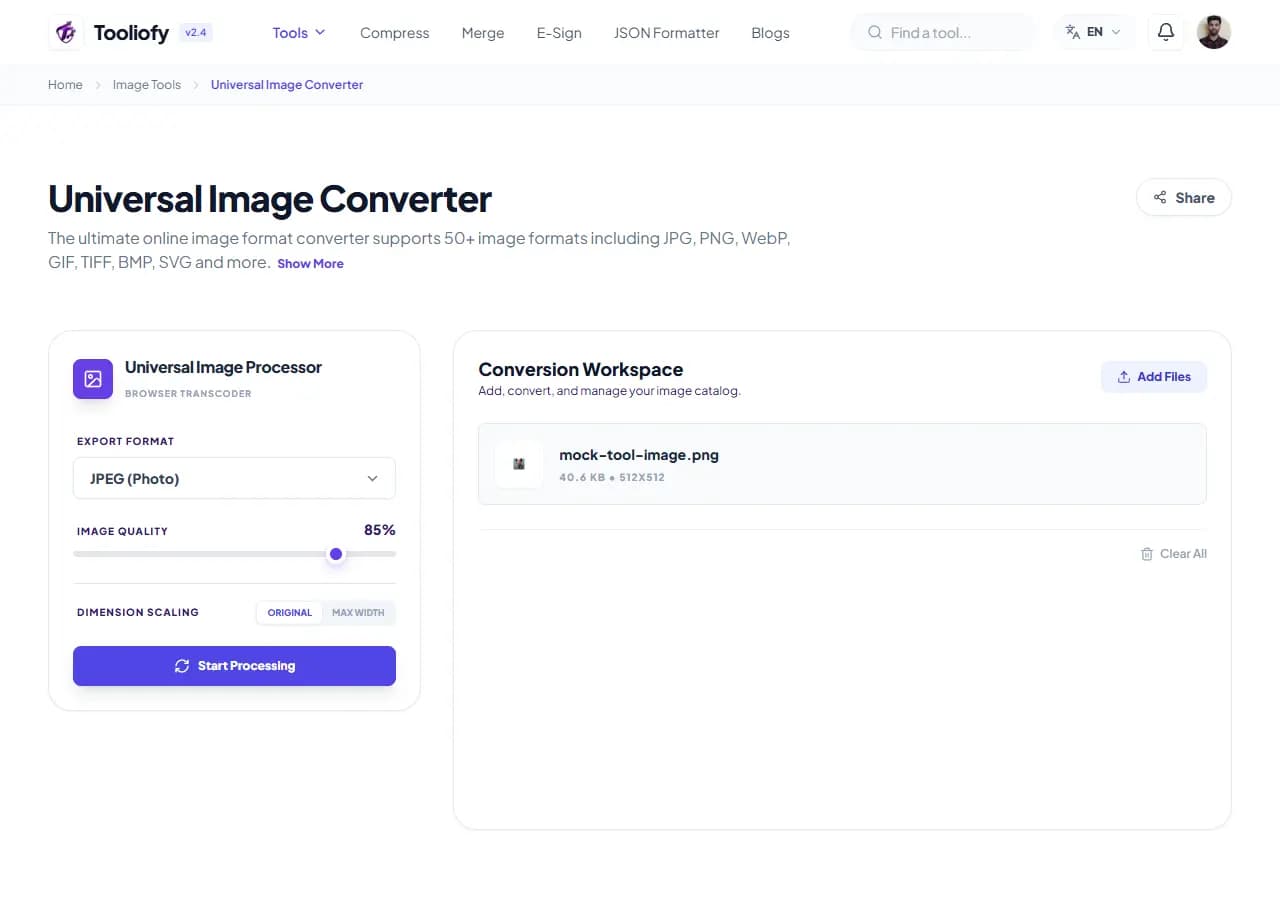
2. Processing
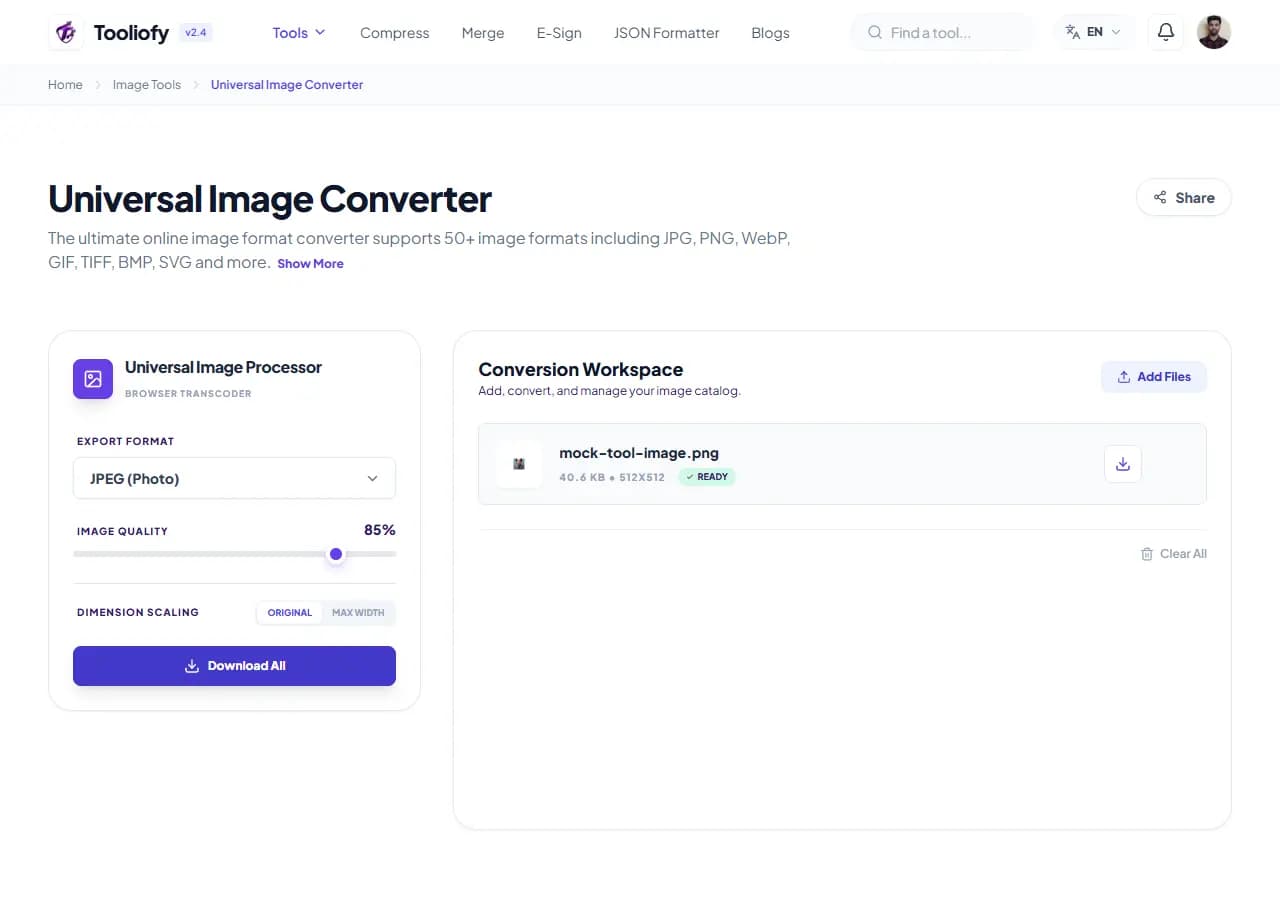
3. Download File
Why the image result matters
Each format has a job: JPG is small and universal for photos but can't do transparency. PNG keeps perfect quality and transparent backgrounds but gets heavy for photos. WebP does both smaller but chokes ancient software. Most 'this image won't work' problems are just a format mismatch - the upload form wants JPG, the print shop wants PNG, the website wants WebP.
What Universal Image Converter changes
The converter re-encodes your image into the format you choose. Ten input formats, one dropdown, and the practical result: a file that opens where you need it to open and behaves how you need it to behave.
How your image is processed
Upload one image or a batch, pick the target format, adjust quality if converting to a lossy format, download. Converting to a format with transparency support keeps transparent areas; converting to JPG fills them with white - that's a JPG limitation, not a bug.
Good times to use Universal Image Converter
- Converting HEIC iPhone photos to JPG for compatibility
- PNG to JPG to shrink photos with no transparency needs
- JPG to PNG for editing tools that demand it
- Batch-converting a folder to WebP for a website
- BMP and legacy formats to modern equivalents
What you get
- Ends 'file type not supported' errors
- Batch mode for whole folders
- Transparency handled correctly per format
- Modern and legacy formats both covered
- Free, no limits for normal use
Image options included
- Converts between JPG, PNG, WebP, GIF, BMP and more
- Batch conversion with one output setting
- Quality control for lossy outputs
- Transparency preserved where the format supports it
- No file size caps for normal use
- No watermark
- Files deleted automatically after processing
"Match the format to the job - JPG for photos, PNG for transparency, WebP for the web - and convert from the original file when you can."

More Image Tools
Image Compressor
Image Compressor helps you reduce file size. It keeps the page focused on that one job, so you can check the smaller file without opening a larger app.
Image Resizer
Open Image Resizer when your image needs one clear change. The tool keeps the process short and the resized image easy to inspect.
Image Cropper
Image Cropper helps when the next step is simple: keep the important area and remove the rest. It is built for quick fixes, checks, and downloads.
Image Rotator / Flipper
Image Rotator / Flipper helps when the next step is simple: fix direction, orientation, or mirror view. It is built for quick fixes, checks, and downloads.
JPG/JPEG Converter
Use JPG/JPEG Converter when you need to change the file into a format that is easier to open or share. Add the file, choose the option that matters, and review the converted file.
PNG Converter
Use PNG Converter when you need to change the file into a format that is easier to open or share. Add the file, choose the option that matters, and review the converted file.
Explore Other Categories
 19 Tools
PDF & Documents
Explore our pdf & documents and start processing your files securely.
 5 Tools
AI Tools
Explore our ai tools and start processing your files securely.
 24 Tools
Text Utilities
Explore our text utilities and start processing your files securely.
 10 Tools
Developer Tools
Explore our developer tools and start processing your files securely.
Can't find a specific tool?
We are constantly adding new features based on user feedback. Tell us what you need and we will implement it immediately!