
PDF Password Protect
Open PDF Password Protect when your text or file needs one clear change. The tool keeps the process short and the protected result easy to inspect.
Password Protect a PDF
Lock a PDF with a password so only people who know it can open the file. Standard AES encryption, applied in seconds - for the documents you'd rather not have floating around readable.
How to Use This Tool
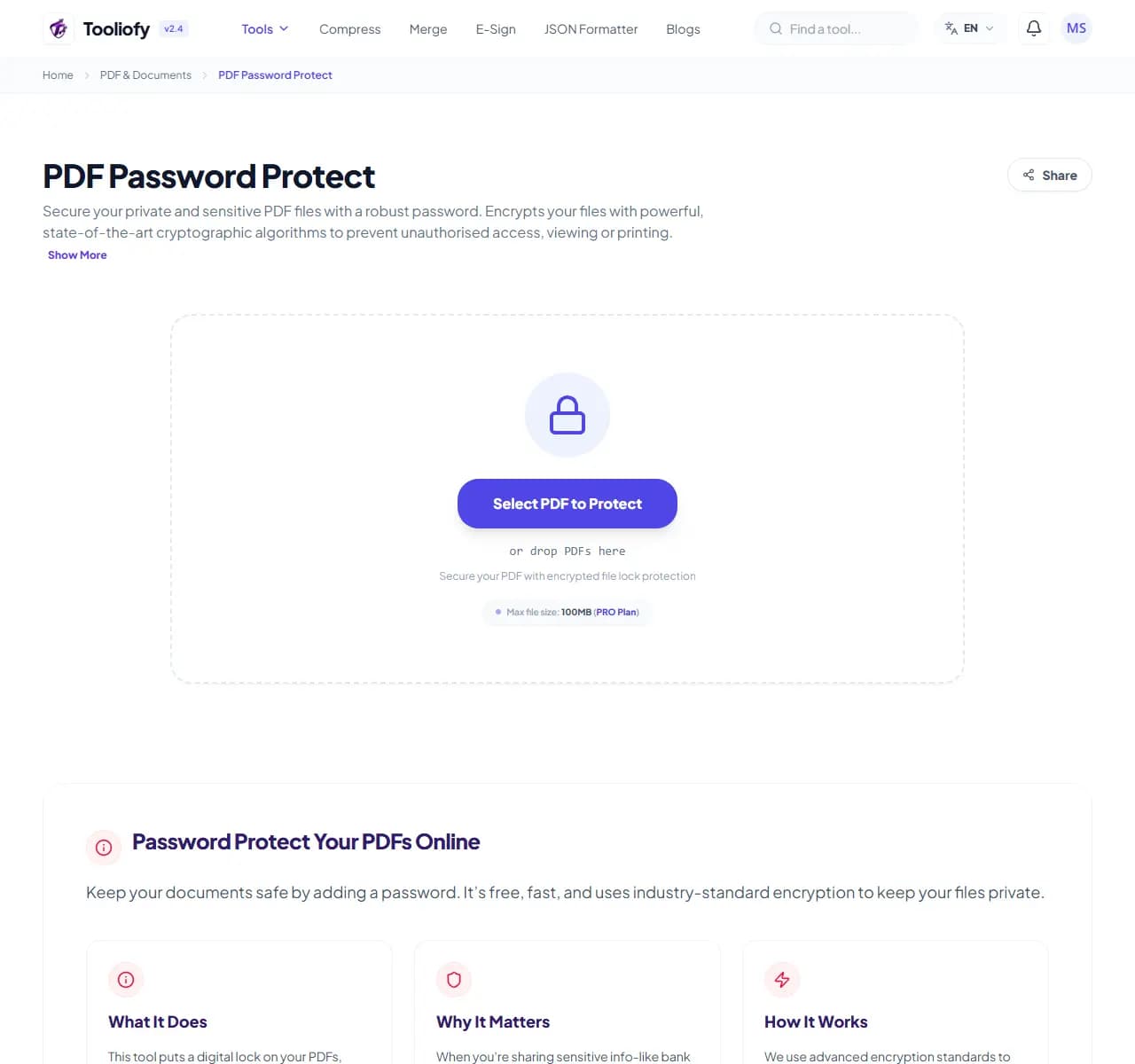
1. Select File
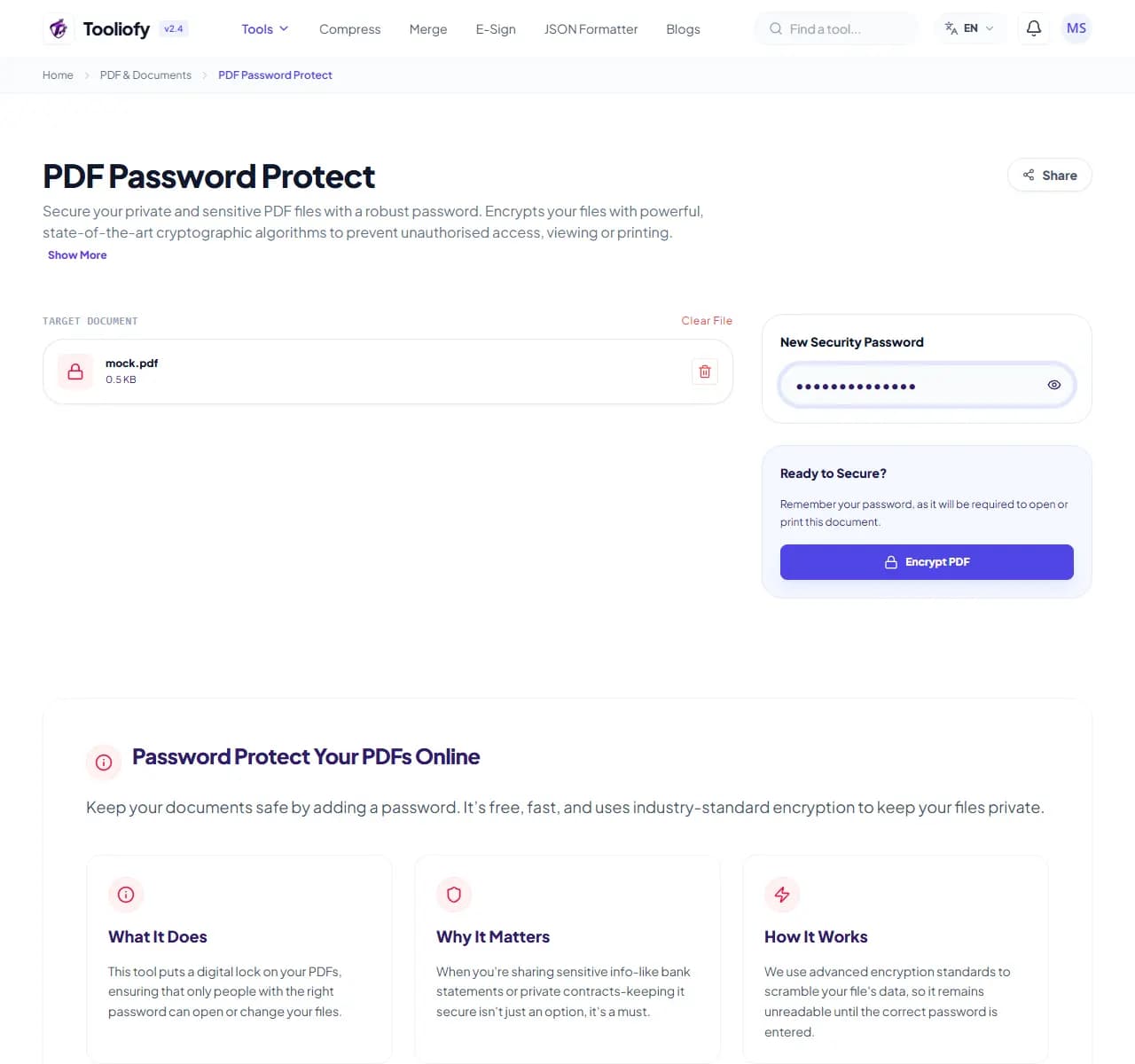
2. Processing
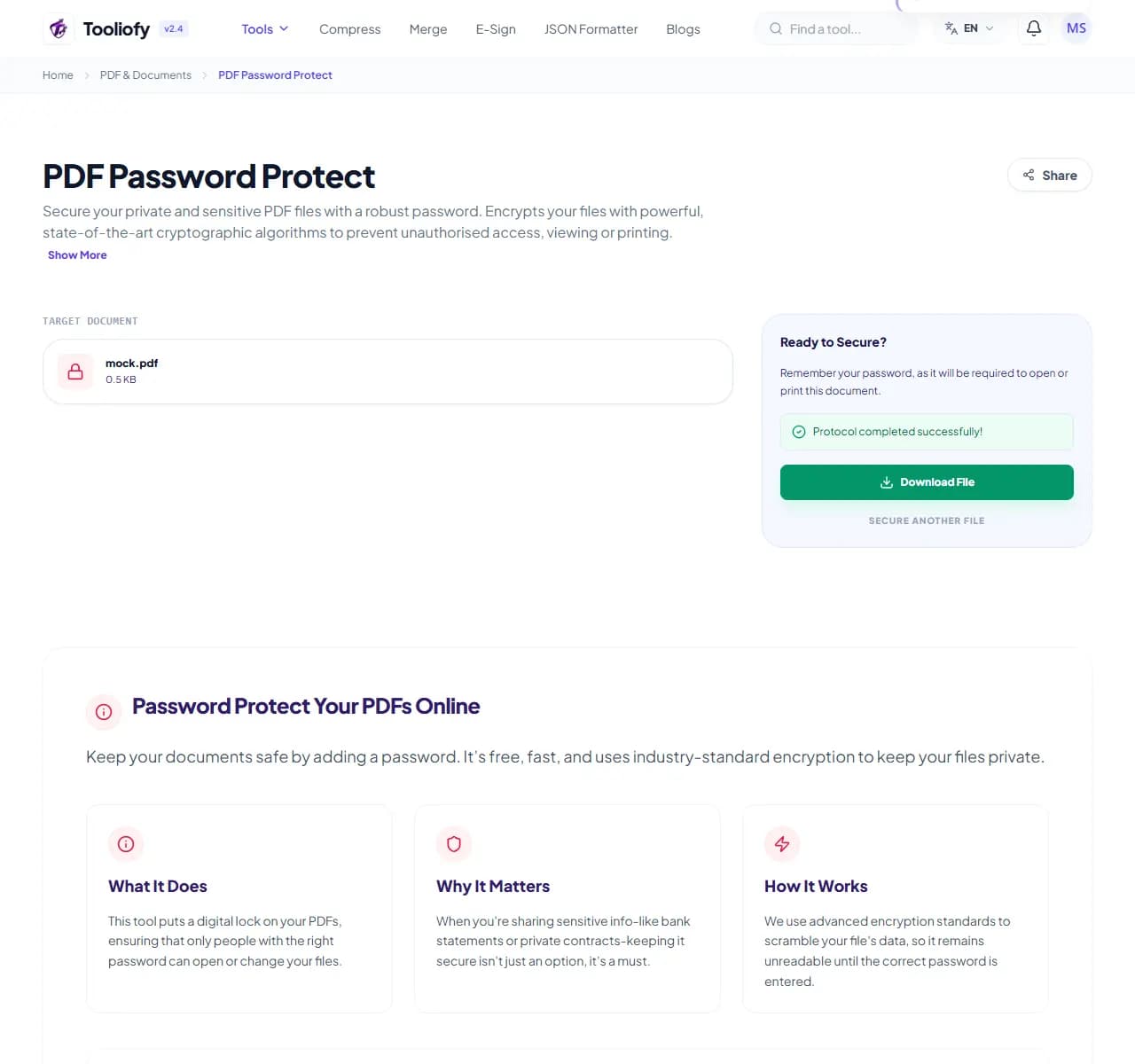
3. Download File
What you can do with PDF Password Protect
This tool encrypts your PDF with a password using the standard PDF security model. Anyone opening the file - in Adobe Reader, a browser, a phone - is asked for the password first. Without it, the content is unreadable.
When PDF Password Protect helps
Email attachments get forwarded, downloads folder pile up on shared computers, and cloud drives get synced to places you forgot about. A salary slip, medical report, or contract in plain PDF is readable by whoever encounters it. Encryption means an intercepted or misdirected file is just noise without the password.
How the PDF is handled
Upload the PDF, set a password, download the protected version. Send the password through a different channel than the file - if both travel in the same email, the lock is decorative. A text message or call for the password is the usual practice.
Common PDF Password Protect tasks
- Protecting salary slips and tax documents before emailing
- Locking medical reports shared with insurers
- Securing contracts sent for review
- Protecting client deliverables on shared drives
- Adding a password before uploading to portals you half-trust
Why this PDF tool is handy
- Misdirected files stay unreadable
- Works in every standard PDF reader
- Takes seconds, no software installs
- Free with no limits
- Pairs with PDF Unlock when protection is no longer needed
What is included
- Password required to open the document
- Standard PDF encryption (AES) - works in every PDF reader
- Protected file opens normally once the password is entered
- No account needed
- No watermark added
- Original file stays untouched on your machine
- Encrypted transfer, automatic deletion
"Encrypt anything you'd mind a stranger reading, and always send the password by a different route than the file."

More PDF & Documents
Create PDF
Create PDF helps when the next step is simple: create a new PDF with text, images, shapes, pages, and signatures. It is built for quick fixes, checks, and downloads.
PDF to Word
PDF to Word helps when the next step is simple: turn PDF files into Word. It is built for quick fixes, checks, and downloads.
Word to PDF
Word to PDF helps when the next step is simple: turn Word files into PDF. It is built for quick fixes, checks, and downloads.
PDF to Excel
Open PDF to Excel when your PDF file needs one clear change. The tool keeps the process short and the Excel file easy to inspect.
Excel to PDF
Open Excel to PDF when your Excel file needs one clear change. The tool keeps the process short and the PDF file easy to inspect.
PDF Merge
PDF Merge helps when the next step is simple: combine separate files into one ordered result. It is built for quick fixes, checks, and downloads.
Explore Other Categories
 5 Tools
AI Tools
Explore our ai tools and start processing your files securely.
 58 Tools
Image Tools
Explore our image tools and start processing your files securely.
 24 Tools
Text Utilities
Explore our text utilities and start processing your files securely.
 10 Tools
Developer Tools
Explore our developer tools and start processing your files securely.
Can't find a specific tool?
We are constantly adding new features based on user feedback. Tell us what you need and we will implement it immediately!