
SR2 (Sony) Converter
Open SR2 (Sony) Converter when your file needs one clear change. The tool keeps the process short and the converted file easy to inspect.
Convert Images Online for Free
SR2 (Sony) Converter helps you convert Sr2 files without opening a larger app. Add your input, check the result, and save it when it looks right.
How to Use This Tool
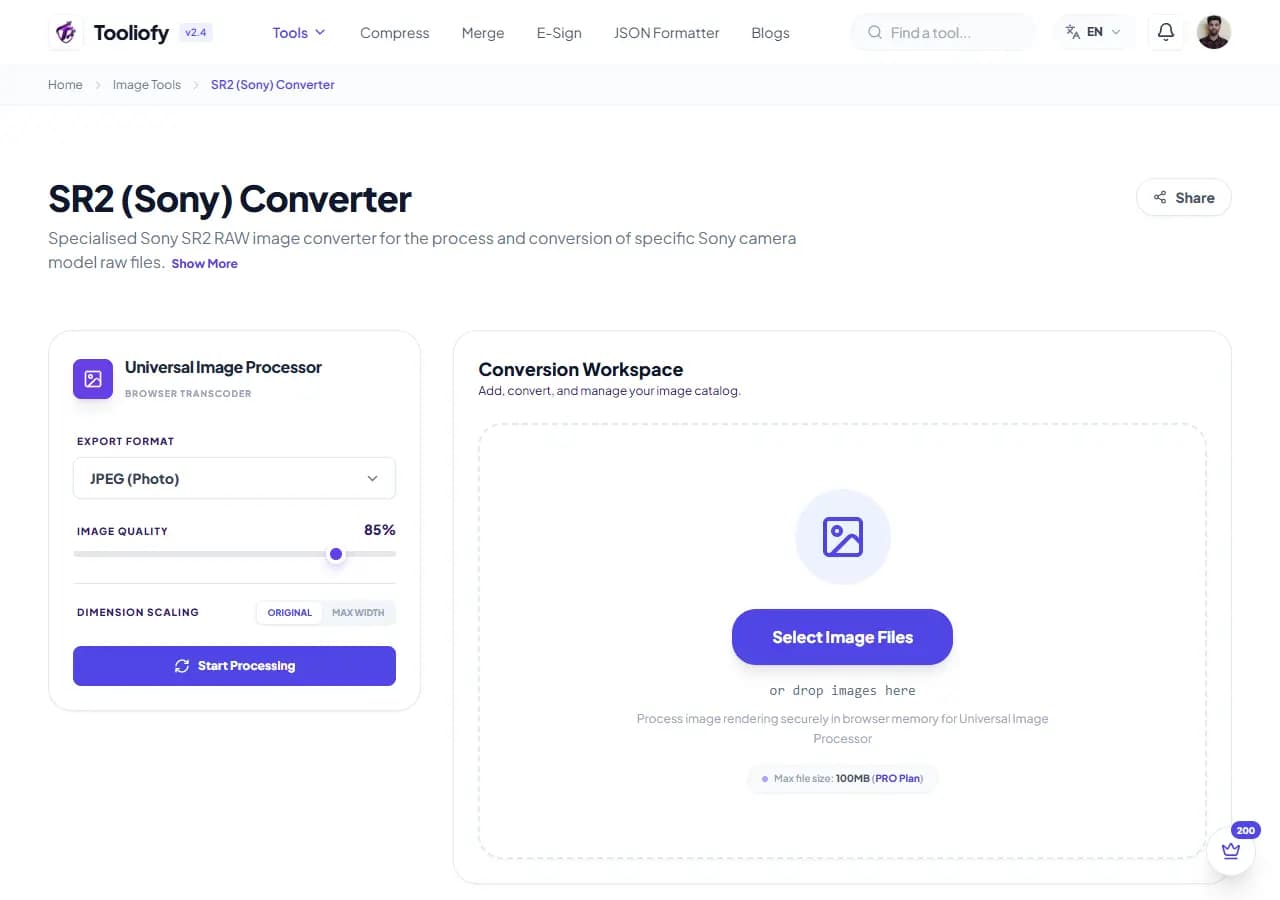
1. Select File
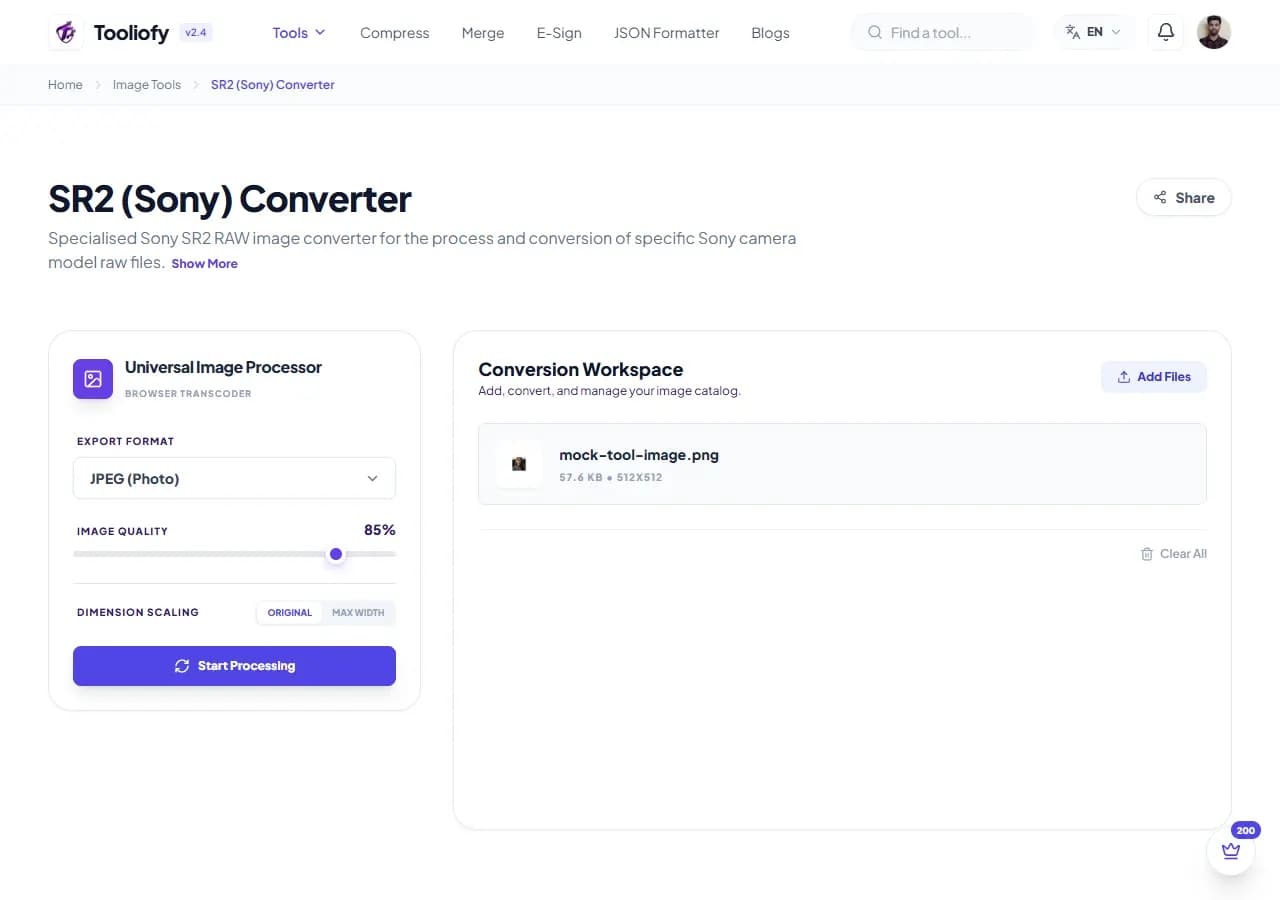
2. Processing
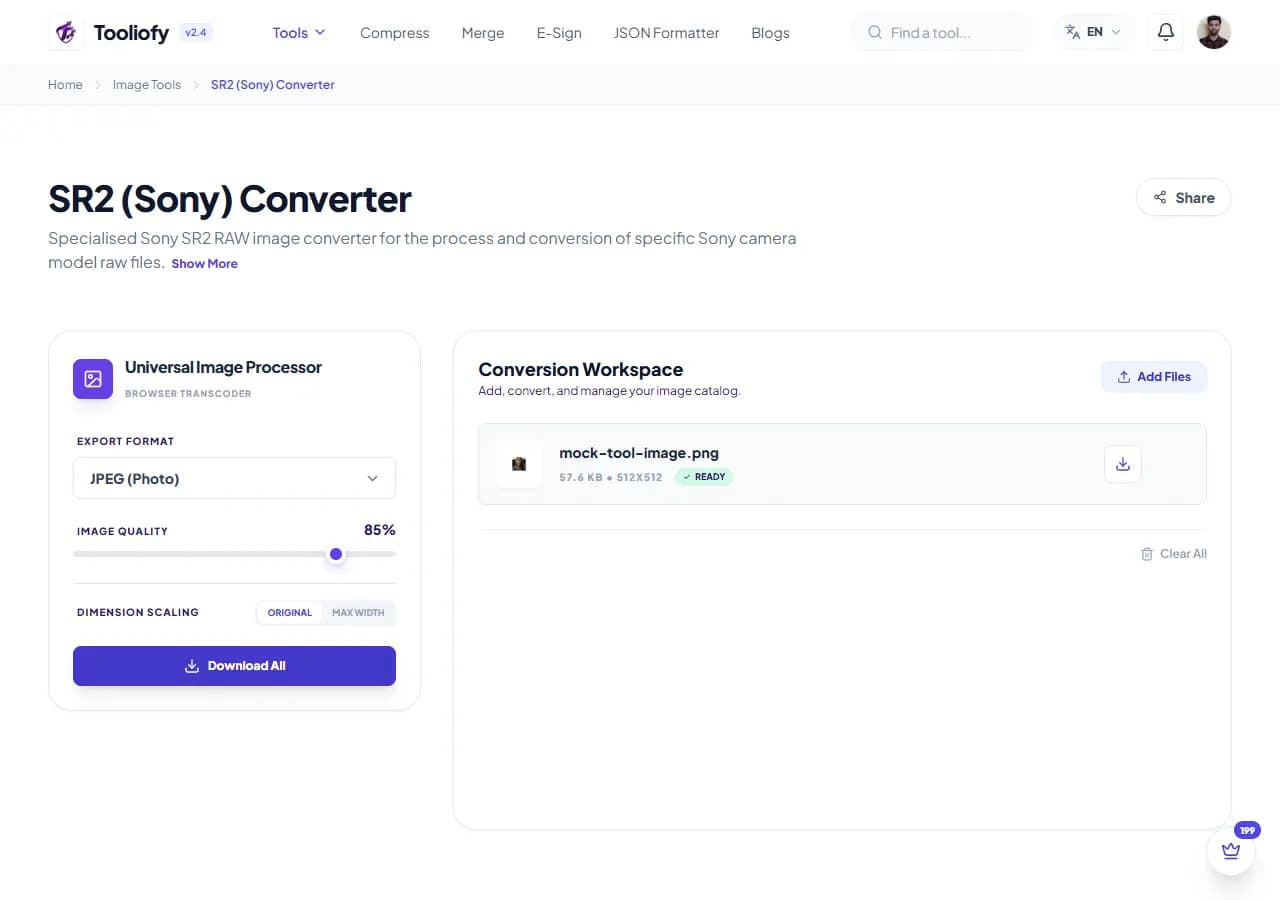
3. Download File
What SR2 (Sony) Converter changes
Open SR2 (Sony) Converter to convert SR2 files to a common format when a heavier app would slow you down. The workflow stays short and the result stays easy to check.
Why the image result matters
SR2 (Sony) Converter is useful when you need to convert Sr2 files and want the important controls in one place.
How your image is processed
SR2 (Sony) Converter takes SR2, runs the step to convert SR2 files to a common format, and prepares JPG, PNG, WebP so you can check the converted result before download.
SR2 (Sony) Converter: quick check
SR2 (Sony) Converter works best when you know the change you want: converting SR2 files to a common format. Keep the original nearby, then compare the result before sharing it.
Privacy note: Before using SR2 (Sony) Converter, check the image for faces, addresses, screens, license plates, and private client details. Keep an untouched original for published or client work.
Works well when
- Convert heavy RAW camera photos to web-friendly JPEGs.
- Save screenshots as BMP or PDF files.
- SR2 (Sony) Converter works with SR2.
One thing to avoid
- Over-compressing until text, logos, or edges look rough.
- Replacing the original before checking the output.
Supported Formats
Good times to use SR2 (Sony) Converter
- Turn transparent PNGs into standard JPGs
- Convert heavy RAW camera photos to web-friendly JPEGs
- Improve your graphics to next-gen WebP or AVIF
- Save screenshots as BMP or PDF files
What you get
- Quick conversions
- Works with modern formats like WebP and AVIF
- Handles large batches like a pro
- Completely free, with no account needed
Image options included
- Supports over 50+ image formats
- Convert multiple images at once
- Convert RAW camera photos (CR2, NEF, ARW) to JPG
- Fine-tune your quality and file size
- Keeps your original colors and dimensions intact
- Private, with no uploads or tracking
"SR2 (Sony) Converter is worth using when converting SR2 files to a common format is the real problem and you do not want a larger app in the way."

More Image Tools
Image Compressor
Image Compressor helps you reduce file size. It keeps the page focused on that one job, so you can check the smaller file without opening a larger app.
Image Resizer
Open Image Resizer when your image needs one clear change. The tool keeps the process short and the resized image easy to inspect.
Image Cropper
Image Cropper helps when the next step is simple: keep the important area and remove the rest. It is built for quick fixes, checks, and downloads.
Image Rotator / Flipper
Image Rotator / Flipper helps when the next step is simple: fix direction, orientation, or mirror view. It is built for quick fixes, checks, and downloads.
Universal Image Converter
Open Universal Image Converter when your file needs one clear change. The tool keeps the process short and the converted file easy to inspect.
JPG/JPEG Converter
Use JPG/JPEG Converter when you need to change the file into a format that is easier to open or share. Add the file, choose the option that matters, and review the converted file.
Explore Other Categories
 19 Tools
PDF & Documents
Explore our pdf & documents and start processing your files securely.
 5 Tools
AI Tools
Explore our ai tools and start processing your files securely.
 24 Tools
Text Utilities
Explore our text utilities and start processing your files securely.
 10 Tools
Developer Tools
Explore our developer tools and start processing your files securely.
Can't find a specific tool?
We are constantly adding new features based on user feedback. Tell us what you need and we will implement it immediately!