
Image Optimizer for Web
Image Optimizer for Web helps when the next step is simple: make the file smaller while keeping it usable. It is built for quick fixes, checks, and downloads.
Shrink Your Images Online, Securely & For Free
Image Optimizer for Web helps you finish the image optimizer task without opening a larger app. Add your input, check the result, and save it when it looks right.
How to Use This Tool
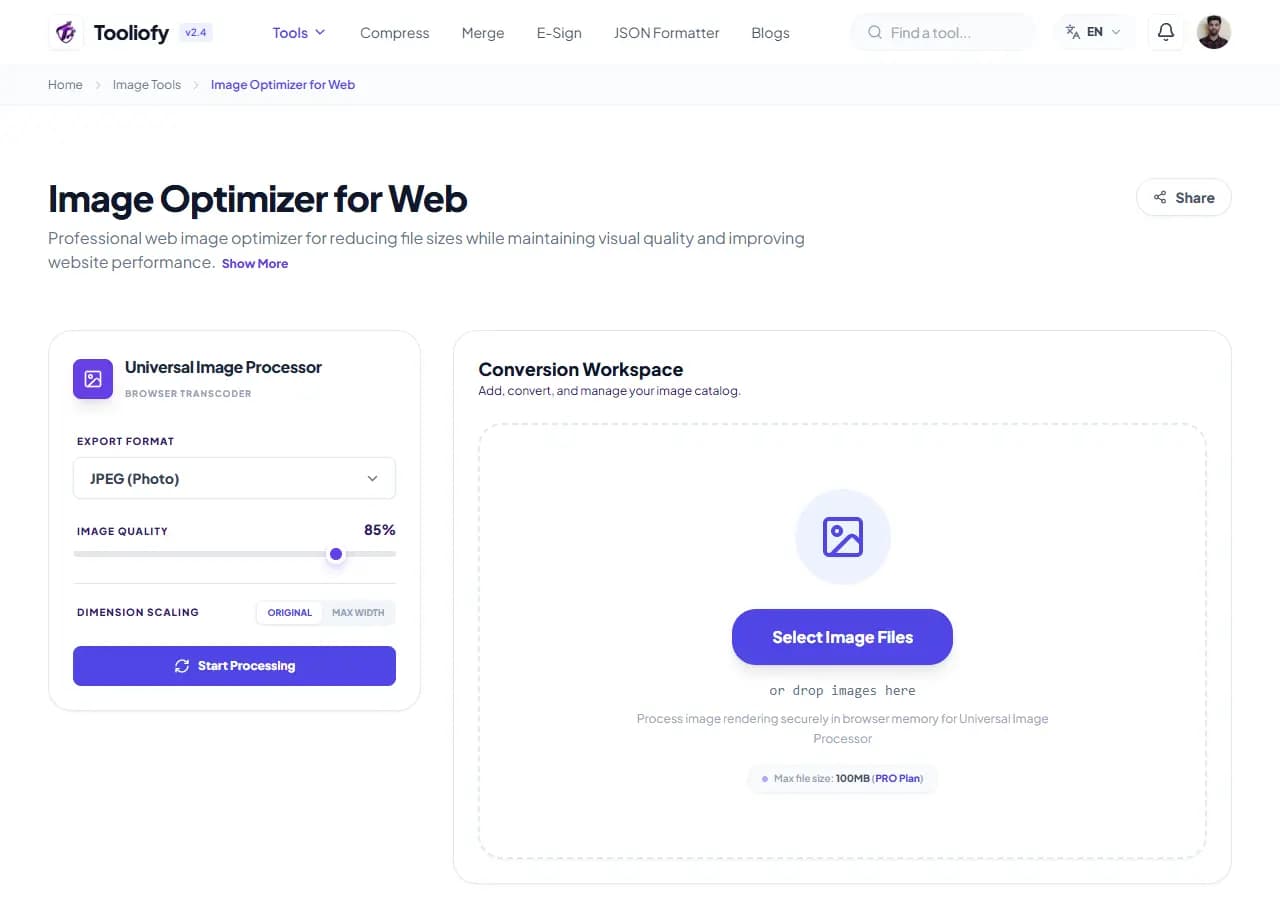
1. Select File
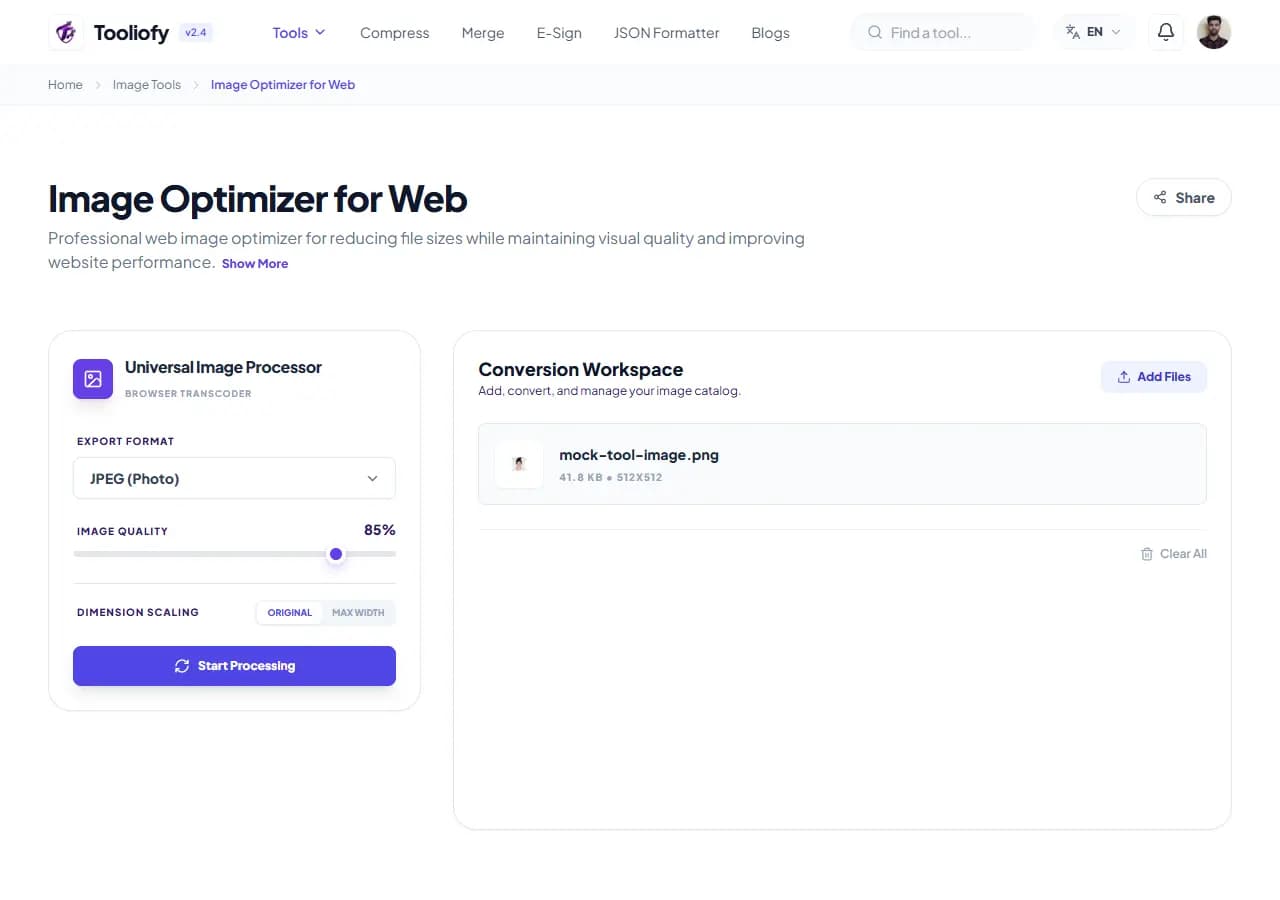
2. Processing
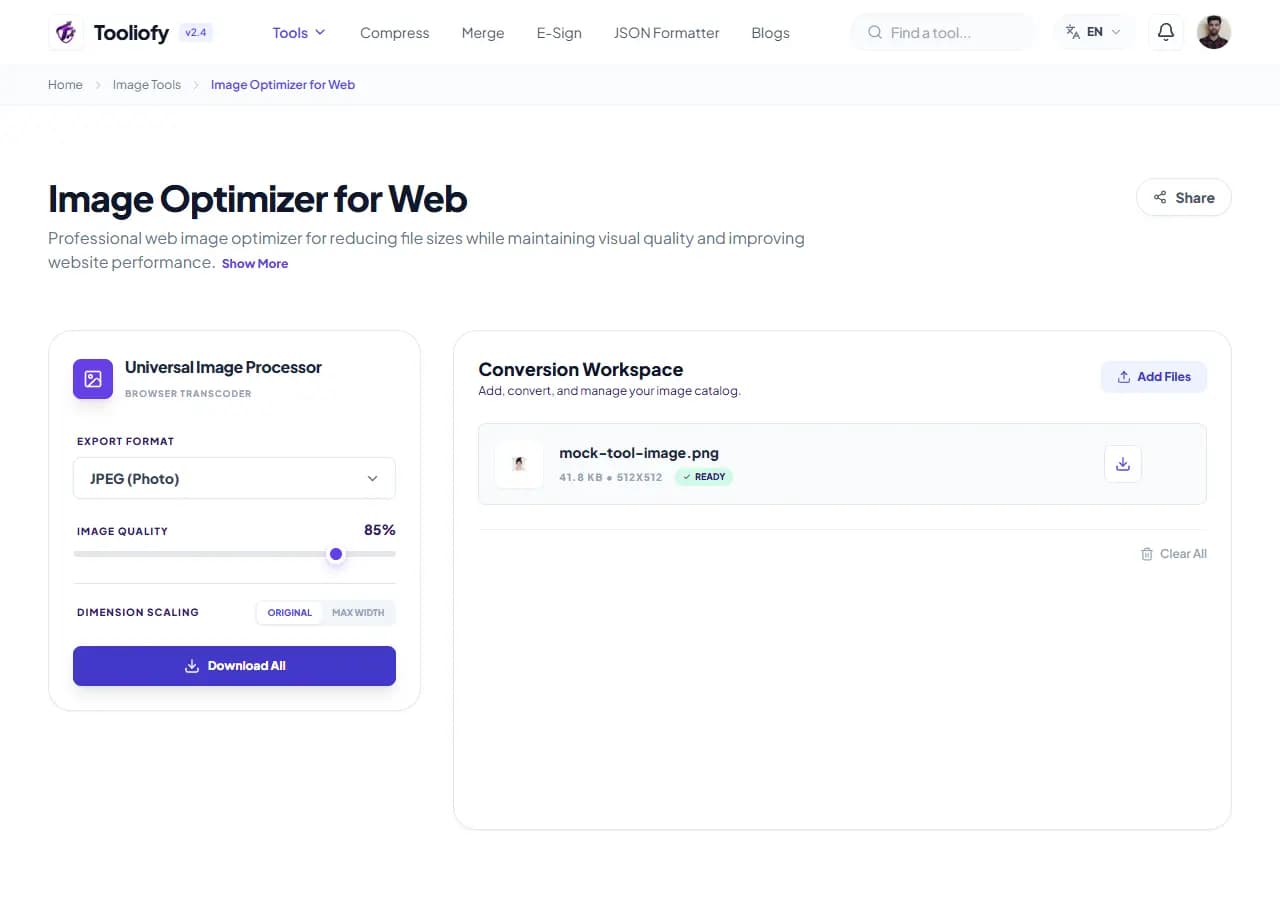
3. Download File
What Image Optimizer for Web changes
Image Optimizer for Web is built to complete the image optimizer job. The controls stay close to the result, so work like make your website load super fast by optimizing your images is quick to review.
Why the image result matters
Large files slow down uploads, emails, websites, and storage. Image Optimizer for Web keeps that fix in one place so the job does not grow larger than it needs to be.
How your image is processed
Image Optimizer for Web applies the visible image setting to complete the image optimizer job, then lets you preview the changed picture before replacing the original.
When Image Optimizer for Web is the right tool
Before using Image Optimizer for Web, decide what a good result should look like. For completing the image optimizer job, one careful output check is better than a blind download.
Useful for
Optimizing your profile pictures for social media uploads. Make your website load super fast by optimizing your images. Image Optimizer for Web works with JPG, JPEG, PNG, and other supported formats.
Pause first if
The original image is already too blurry to rescue.
Final check
Zoom in and inspect edges, text, and transparency. Check the final format and file size. Keep the original if the image will be published.
Supported Formats
Good times to use Image Optimizer for Web
- Make your website load super fast by optimizing your images.
- Shrink your photos so they're good for email attachments.
- Optimizing your profile pictures for social media uploads.
- Improve your website's Core Web Vitals scores for a snappier experience.
What you get
- Your privacy is important: 100% of the processing happens on your device, with zero uploads.
- Save bandwidth and give your website a serious speed boost.
- Keeps your text looking super sharp and all your graphics clear.
- No need to register or subscribe – it's completely free to use!
Image options included
- Processing runs right on your device
- Customizable quality from 10% to 100%
- Compress multiple photos at once
- See exactly how much space you are saving
- Keeps transparent backgrounds looking right
- Change image format while compressing
"Image Optimizer for Web keeps completing the image optimizer job manageable: make the change, check the result, and keep the original if the file matters."

More Image Tools
Image Compressor
Image Compressor helps you reduce file size. It keeps the page focused on that one job, so you can check the smaller file without opening a larger app.
Image Resizer
Open Image Resizer when your image needs one clear change. The tool keeps the process short and the resized image easy to inspect.
Image Cropper
Image Cropper helps when the next step is simple: keep the important area and remove the rest. It is built for quick fixes, checks, and downloads.
Image Rotator / Flipper
Image Rotator / Flipper helps when the next step is simple: fix direction, orientation, or mirror view. It is built for quick fixes, checks, and downloads.
Universal Image Converter
Open Universal Image Converter when your file needs one clear change. The tool keeps the process short and the converted file easy to inspect.
JPG/JPEG Converter
Use JPG/JPEG Converter when you need to change the file into a format that is easier to open or share. Add the file, choose the option that matters, and review the converted file.
Explore Other Categories
 19 Tools
PDF & Documents
Explore our pdf & documents and start processing your files securely.
 5 Tools
AI Tools
Explore our ai tools and start processing your files securely.
 24 Tools
Text Utilities
Explore our text utilities and start processing your files securely.
 10 Tools
Developer Tools
Explore our developer tools and start processing your files securely.
Can't find a specific tool?
We are constantly adding new features based on user feedback. Tell us what you need and we will implement it immediately!