
HEIF Converter
HEIF Converter is for convert a file. It keeps the page focused on that one job, so you can check the converted file without opening a larger app.

Convert HEIC Photos to JPG or PNG Safely
HEIF Converter helps you turn Apple HEIC and HEIF photos into JPG or PNG files that open more easily on other devices.
How to Use This Tool
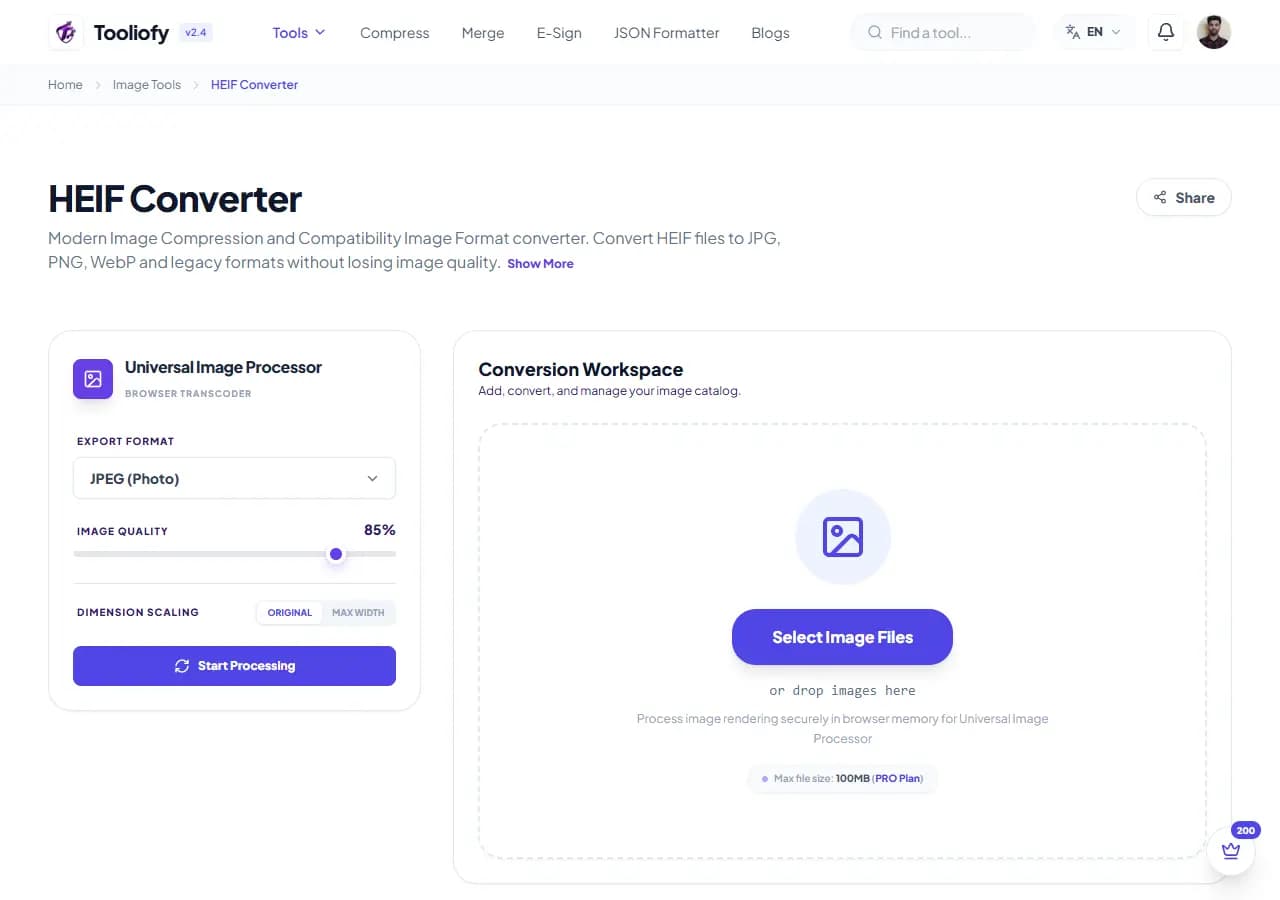
1. Select File
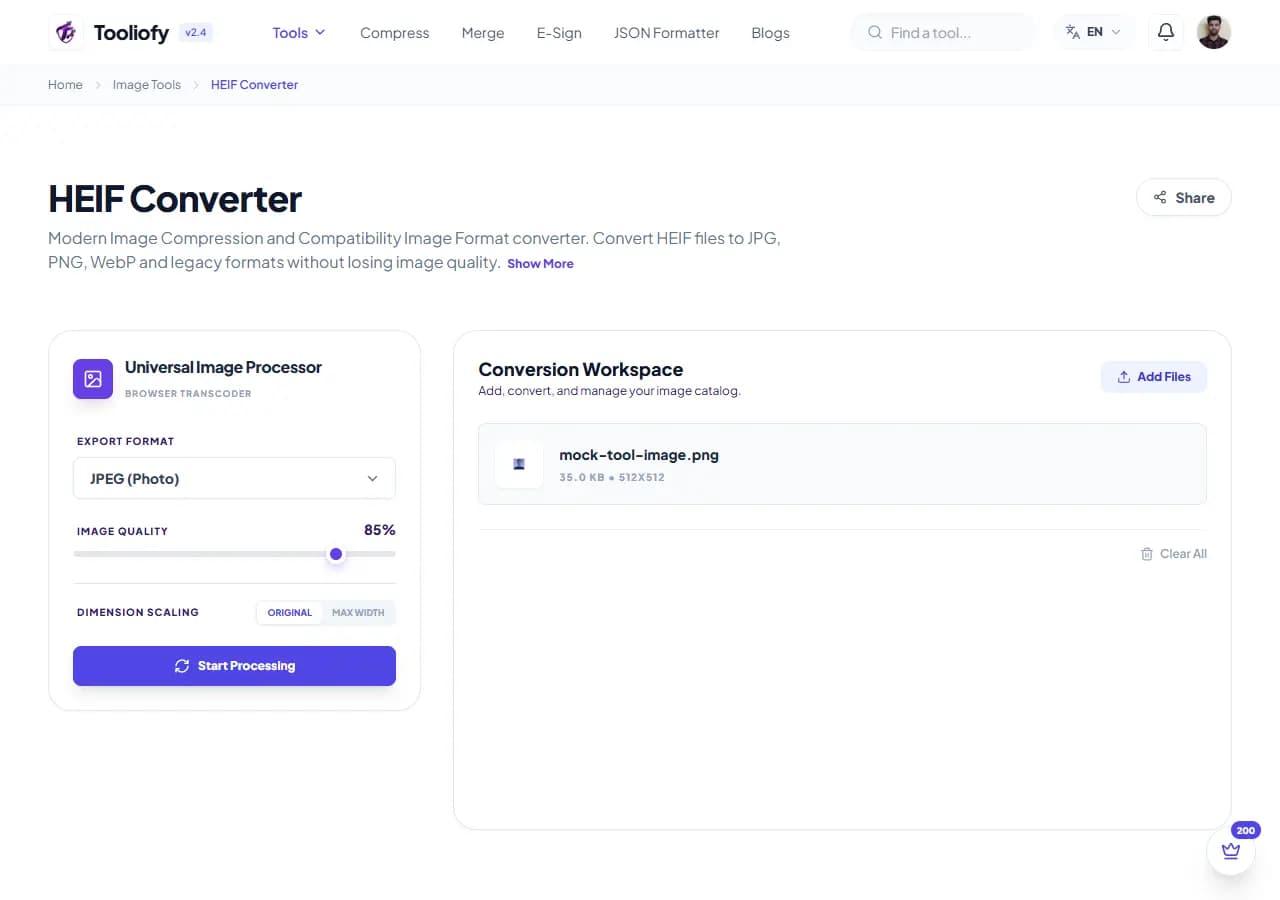
2. Processing
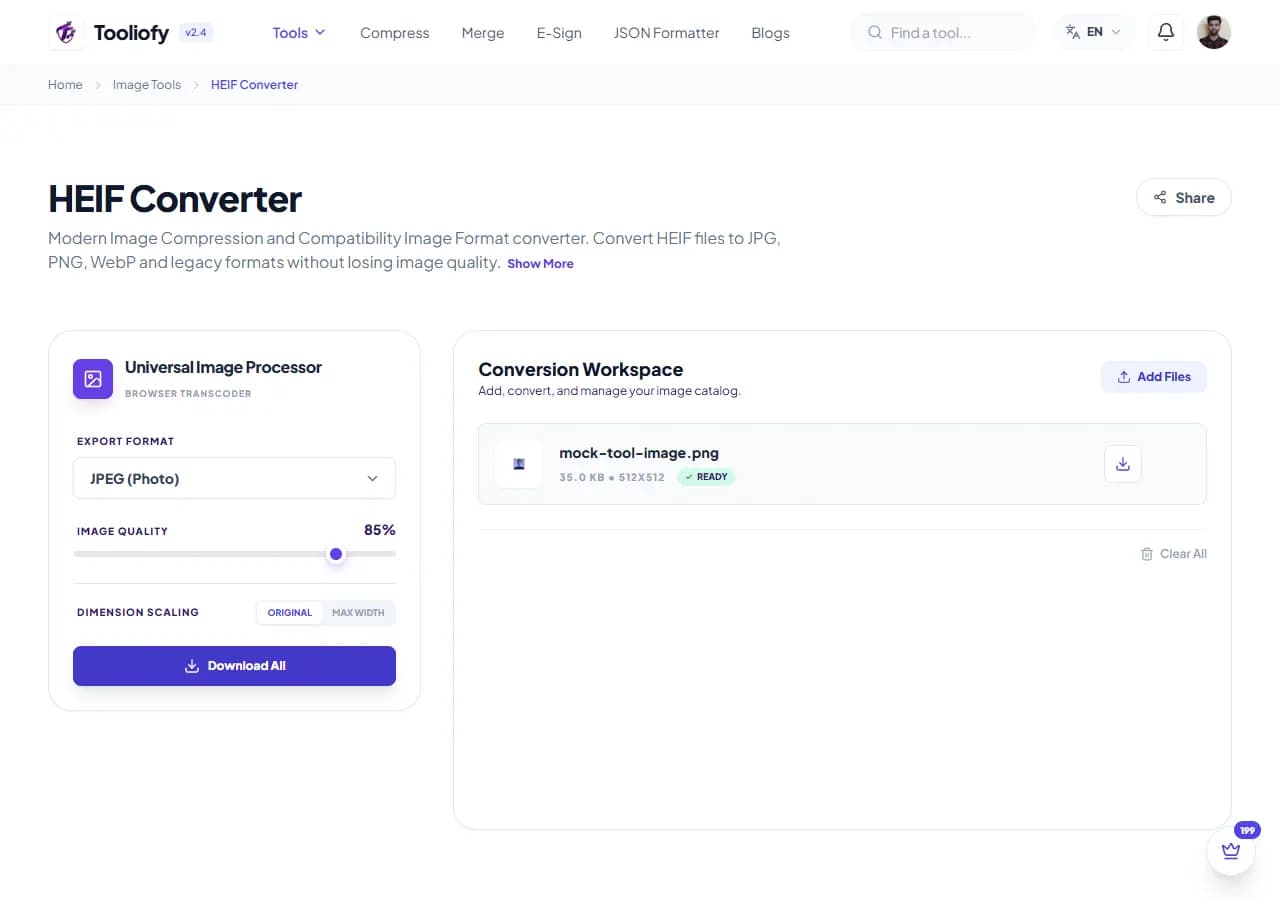
3. Download File
What HEIF Converter changes
HEIF Converter keeps attention on one job: converting HEIF files to a common format. It avoids unrelated options and keeps the finished output easy to inspect.
Why the image result matters
A format change often makes a file easier to use in another app. HEIF Converter gives you a quick way to handle that before you share, publish, or move on.
How your image is processed
HEIF Converter takes the input, runs the step to convert HEIF files to a common format, and prepares the result so you can check the converted result before download.
Use HEIF Converter without redoing the job
HEIF Converter is easiest when the input is already close to ready. Run the step to convert HEIF files to a common format, scan the result, and save only the version that fits.
Privacy note: Before using HEIF Converter, check the image for faces, addresses, screens, license plates, and private client details. Keep an untouched original for published or client work.
Reach for it when
- Getting your HEIC screenshots ready for printing.
- Need to turn your iPhone HEIC photos into standard JPEGs.
- Using HEIF Converter when an image is close to ready but needs one change.
Skip it when
- The photo contains private faces, addresses, or screens you have not reviewed.
- The original image is already too blurry to rescue.
Before you copy the result
- Keep the original if the image will be published.
- Zoom in and inspect edges, text, and transparency.
- Check the final format and file size.
Good times to use HEIF Converter
- Turn your iPhone HEIC photos into standard JPEGs
- Save your HEIC files as transparent PNGs
- Batch convert your phone photos for web use
- Get your HEIC screenshots ready for printing
- Make your Apple images compatible with Windows
What you get
- Fast conversions
- Convert any size file – no limits!
- Since it processes locally, you'll save on bandwidth too.
- Free, no sign-up needed.
- Your private files are always safe and secure.
Image options included
- Convert Apple HEIC files into widely compatible JPG and PNG formats.
- Process your iPhone HEIC photos right on your device.
- Convert lots of HEIC files all at once – no waiting around!
- Keep your photos looking right: original dimensions and colors are fully preserved.
- Your files are never stored or shared - no copies kept in any database.
- Super speedy processing, all happening right on your computer.
- Once loaded, you can even use it offline!
"Use HEIF Converter when you want to convert HEIF files to a common format plainly, with enough control to catch problems before the file leaves your hands."

More Image Tools
Image Compressor
Image Compressor helps you reduce file size. It keeps the page focused on that one job, so you can check the smaller file without opening a larger app.
Image Resizer
Open Image Resizer when your image needs one clear change. The tool keeps the process short and the resized image easy to inspect.
Image Cropper
Image Cropper helps when the next step is simple: keep the important area and remove the rest. It is built for quick fixes, checks, and downloads.
Image Rotator / Flipper
Image Rotator / Flipper helps when the next step is simple: fix direction, orientation, or mirror view. It is built for quick fixes, checks, and downloads.
Universal Image Converter
Open Universal Image Converter when your file needs one clear change. The tool keeps the process short and the converted file easy to inspect.
JPG/JPEG Converter
Use JPG/JPEG Converter when you need to change the file into a format that is easier to open or share. Add the file, choose the option that matters, and review the converted file.
Explore Other Categories
 19 Tools
PDF & Documents
Explore our pdf & documents and start processing your files securely.
 5 Tools
AI Tools
Explore our ai tools and start processing your files securely.
 24 Tools
Text Utilities
Explore our text utilities and start processing your files securely.
 10 Tools
Developer Tools
Explore our developer tools and start processing your files securely.
Can't find a specific tool?
We are constantly adding new features based on user feedback. Tell us what you need and we will implement it immediately!